
01
Repair physical damage
Target scratches, dust, tears, creases, stains, and missing patches as named defects.
FireRed professional photo restoration
Repair scratches, fading, stains, and lost detail with a natural-language restoration workflow. FireRed Image Edit is designed to enhance damaged photos without turning every face into a synthetic portrait.
Restoration with explicit constraints
A good restoration removes damage while preserving the people, lighting, grain, and era that make the source meaningful.
01
Target scratches, dust, tears, creases, stains, and missing patches as named defects.
02
Tell the model to keep faces, expressions, pose, age, clothing, and family resemblance unchanged.
03
Choose faithful black-and-white restoration, subtle color recovery, or careful colorization as separate goals.
The FireRedTeam showcase includes old-photo repair alongside general object, portrait, and compositional edits. The restoration pair appears at the lower right.
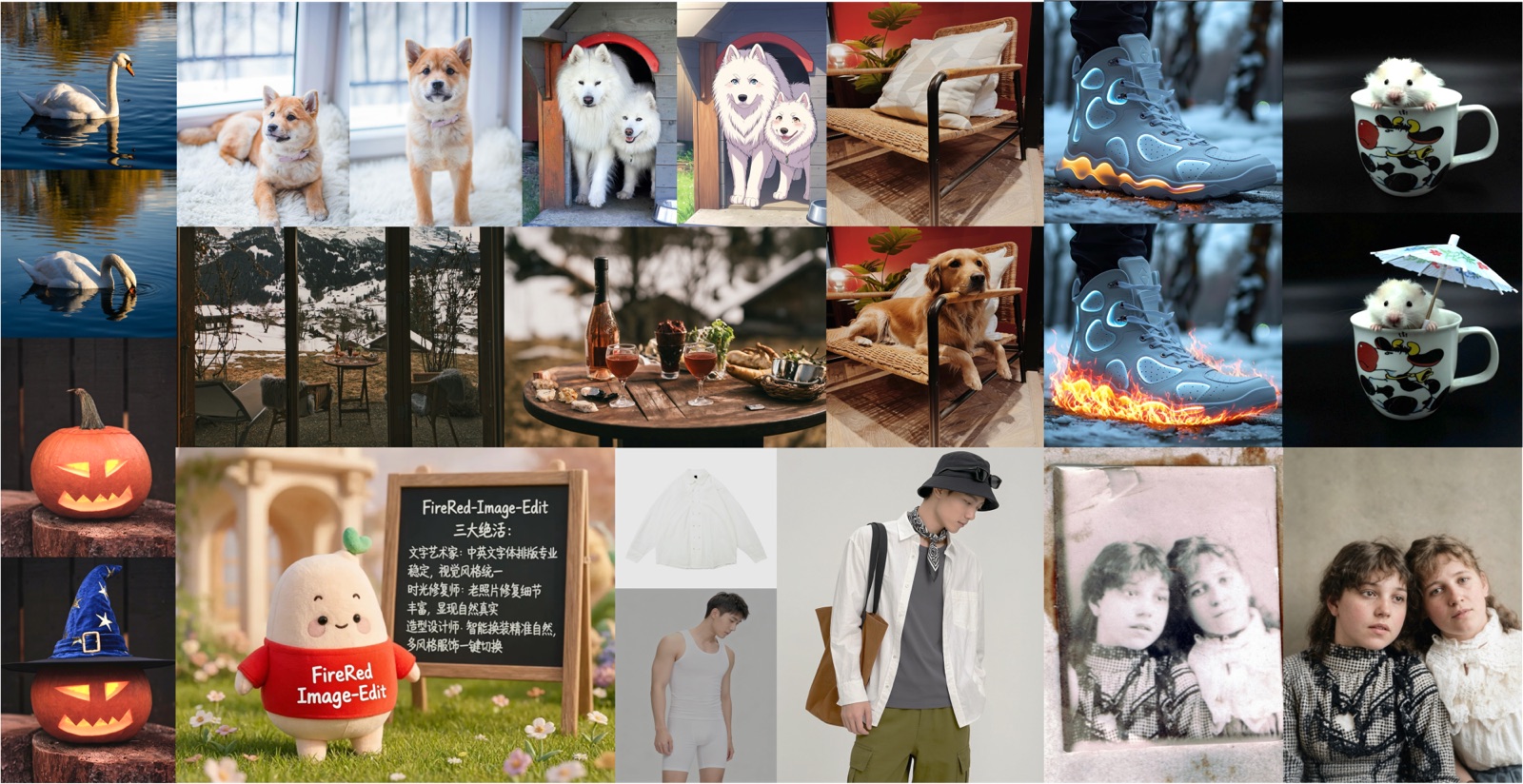
Surface wear and fading are reduced without replacing the entire photographic scene.
The result restores readable facial features while keeping the subjects recognizable.
Texture and wardrobe remain grounded in the original image instead of looking like a modern studio remake.
Separate repair, enhancement, and optional colorization into clear steps so each result can be evaluated.
Use even lighting, avoid glare, and capture the highest practical resolution before asking AI to reconstruct detail.
Name scratches, fading, or missing areas, then state that identity, expression, pose, clothing, and framing must stay unchanged.
Inspect eyes, teeth, hands, jewelry, text, and repeated patterns. Refine one defect at a time if the first pass invents detail.
The workflow is useful for personal archives and publishing projects where the source must remain recognizable and credible.
Clean up portraits and group photos before printing, sharing, or adding them to a digital family history.
Prepare damaged source images for articles or exhibits while retaining provenance and documenting that restoration was applied.
Improve clarity and tonal balance for a new print without oversmoothing faces or removing authentic grain.
Keep the request conservative. Repair the named damage and repeat the details that must not change.
“Repair scratches, dust, creases, and faded contrast. Preserve every person's identity, expression, pose, clothing, film grain, and black-and-white character.”
“Recover subtle facial detail from this damaged portrait without changing age, expression, hairstyle, face shape, or period lighting.”
“First restore the damaged photo, then add restrained historically plausible color. Keep skin tones natural and preserve the original composition and grain.”
AI can reconstruct plausible details that were never present. Treat the result as an interpretation and keep the source file.
Check facial proportions, asymmetry, distinctive marks, and expressions against other known photos when available.
Inspect eyes, teeth, hands, jewelry, uniforms, signage, and background objects for confident but inaccurate reconstruction.
Archive the original, the prompt, and the restored derivative so later viewers can distinguish source from reconstruction.
Professional photo restoration is a stated FireRed capability, supported by an instruction-based workflow and identity-focused 1.1 improvements.
Describe the exact damage and desired finish instead of relying on a single opaque enhancement slider.
FireRed Image Edit 1.1 specifically improves portrait consistency, useful when faces must remain recognizable.
Official model resources, examples, code, and a technical report make the underlying capability easier to inspect.
Practical guidance for repairing damaged family and historical photographs with AI.
It can repair many scratches, stains, creases, and faded regions, but severely missing areas require reconstruction and may not be historically exact.
Ask explicitly to preserve identity, age, expression, and face shape. Compare the result against the source and other reference photos.
You can request colorization, but treat colors as an interpretation unless you have reliable references for clothing, skin, objects, and setting.
For difficult images, restore damage first and colorize in a separate pass. That makes each change easier to inspect and correct.
Use a flat, evenly lit scan at the highest practical resolution. Avoid glare, perspective distortion, filters, and aggressive compression.
Yes. Name those defects directly and specify that facial features, clothing, text, and background structure must remain unchanged.
Ask to preserve natural skin texture and film grain, avoid beauty retouching, and reduce smoothing in a follow-up instruction.
Yes, but inspect each face separately. Group photos contain smaller features and increase the risk of identity drift.
Tiny facial features, jewelry, hands, text, uniforms, repeating patterns, and objects hidden by large damaged areas deserve extra scrutiny.
Always. Store an untouched master scan and export the AI restoration as a separate derivative with the prompt and date recorded.
Yes. FireRedTeam publishes the model resources and code through official GitHub, Hugging Face, and ModelScope pages.
Start with repair and contrast recovery, keep the prompt conservative, then evaluate identity and authenticity before attempting colorization.
Describe the physical defects, state what must remain unchanged, and open the restoration prompt in FireRed Image Edit.
Archive an untouched high-resolution scan.
Repair named damage before adding color or stylistic changes.
Inspect identity and small details at full resolution.